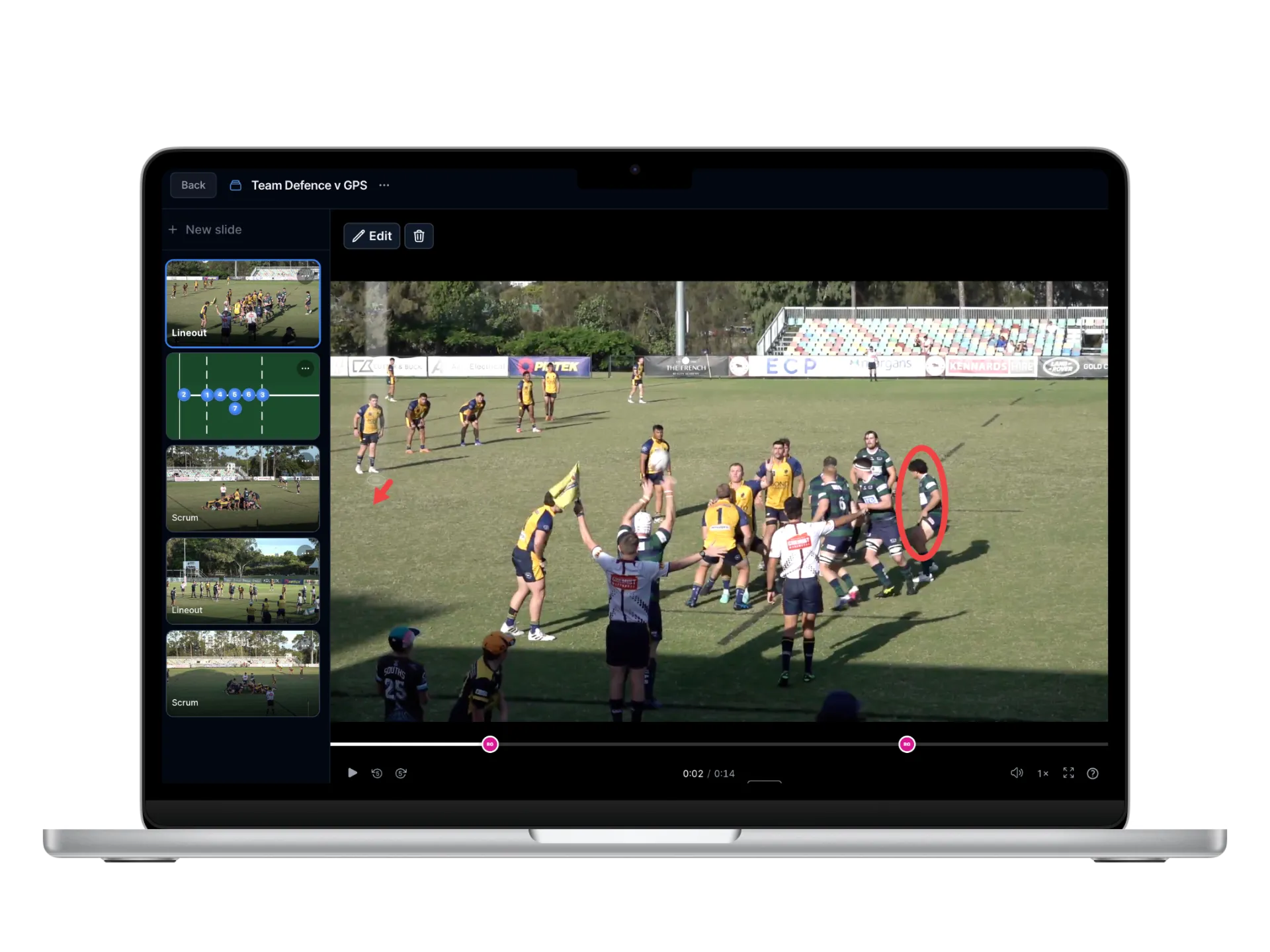
Building clips and presentations by hand is where coaching hours quietly disappear. The presentation, playlist and clipping suite gives them back. It builds clips, playlists and full team meeting presentations in a fraction of the time it takes to do by hand, then shares them with players and staff in a single click.
The footage is already tagged, so work that used to mean scrubbing through a whole match is now just a matter of choosing what you want to see.
Clips, playlists and presentations
The suite covers the whole way coaches and analysts actually use video.
- Clip building. Pull any moment out of a match as a clip, instantly, from data that is already marked up.
- Playlist building. Group clips into playlists around a theme, an opponent, or a single coaching point.
- Animation designs. Turn a moment into a clean tactical animation that shows shape and movement, not just the footage.
- Simple annotations. Draw straight onto a clip to highlight a run, a gap, or a decision, with tools anyone on your staff can pick up.
- A movable mini pitch. The animations play out on a mini rugby pitch you can move players and shapes around on, so you can show exactly what you mean.
- WhatsApp notifications. Mention a player or coach on a clip and it pings them on WhatsApp, so the people who need to see it actually do.
- A searchable clips database. Find any clip across every match in seconds, with a database built to make multi-match clips easy to pull up.
From filter to shared in one click
Because every event is already tagged, you can auto-clip by player, by event, or by any filter you set, and the clips appear without manual scrubbing. Want every lineout, every carry from your number eight, or every breakdown penalty conceded in the second half? That is a filter, not an afternoon. From there you build player-specific clip packages, drop them into a presentation for Tuesday’s review, and share the whole thing with players and staff in one click.
That speed changes what is realistic. Individual clip packages for a whole squad, a themed playlist for the next opponent, a tidy meeting deck, all of it becomes a quick job rather than a reason to stay late. The clips can also go straight to players through WhatsApp delivery, so review does not have to wait for everyone to be in the same room.
The time saving is not a minor convenience, it is what makes good review possible at all. A coach who once spent two hours scrubbing through a match for clips now spends ten minutes choosing them, which is the difference between a session that happens and one that quietly gets dropped. An analyst can build a personalised package for every player in the squad in the time it once took to assemble one or two. The footage was always sitting there, but the effort of finding the right thirty seconds is what used to make serious video analysis a luxury reserved for well-staffed setups. Take that effort away and it becomes something any team can do, every single week, whatever its level.
How it works
The suite runs on the same tagged foundation as the rest of Framesports. Every event in your footage is captured in our tagging process, AI makes that record instantly searchable and clippable, and the whole match is ready to cut on a rapid turnaround. The tools do the assembly, and the coaching points are yours to make.
It draws directly on the match analysis suite and works hand in hand with the coach development suite, turning the patterns you find into the clips that prove them.
Who it’s for
Clipping is used at every level, from professional analysts assembling detailed opposition packages to amateur coaches who simply want their team to see the three things that decided Saturday. Both get the same speed, and both stop losing evenings to the timeline.
From grassroots to elite, the message is the same: spend your time on the coaching, not the editing. See how fast it is with a demo.