
One battery. Both cameras.
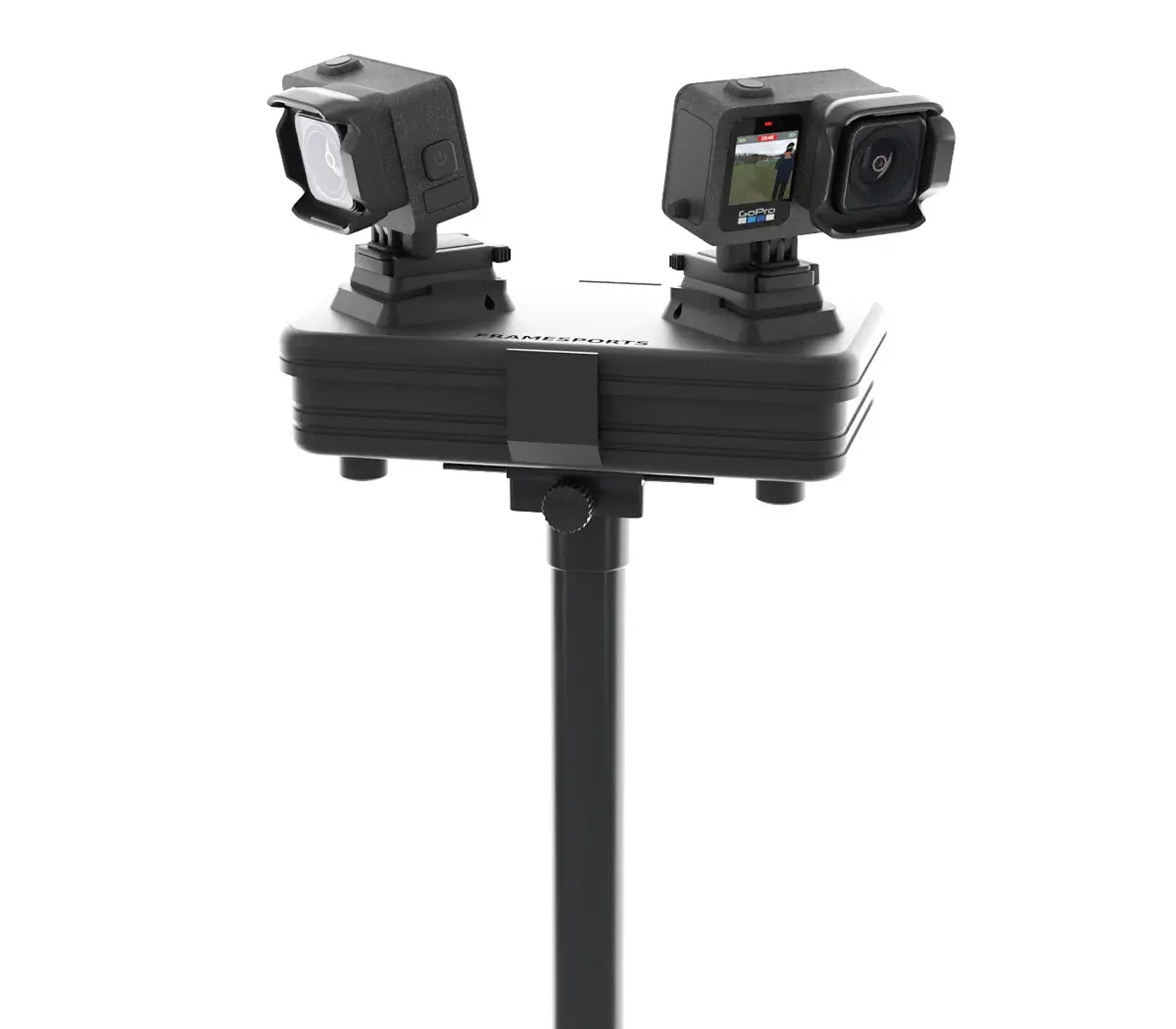
The case shown here holds a power bank and routes a cable to each GoPro. Your quote lists the power setup for your kit.
 FRAMESPORTS


1
Film, upload and analyse your matches in Framesports, all on one bill.
4×
Each GoPro films in 8K. With four times as many pixels per frame as 4K, you can see more detail when you zoom in on a player.
£000s
Replacing separate filming subscriptions could save your club thousands of pounds a year, depending on what you pay now.
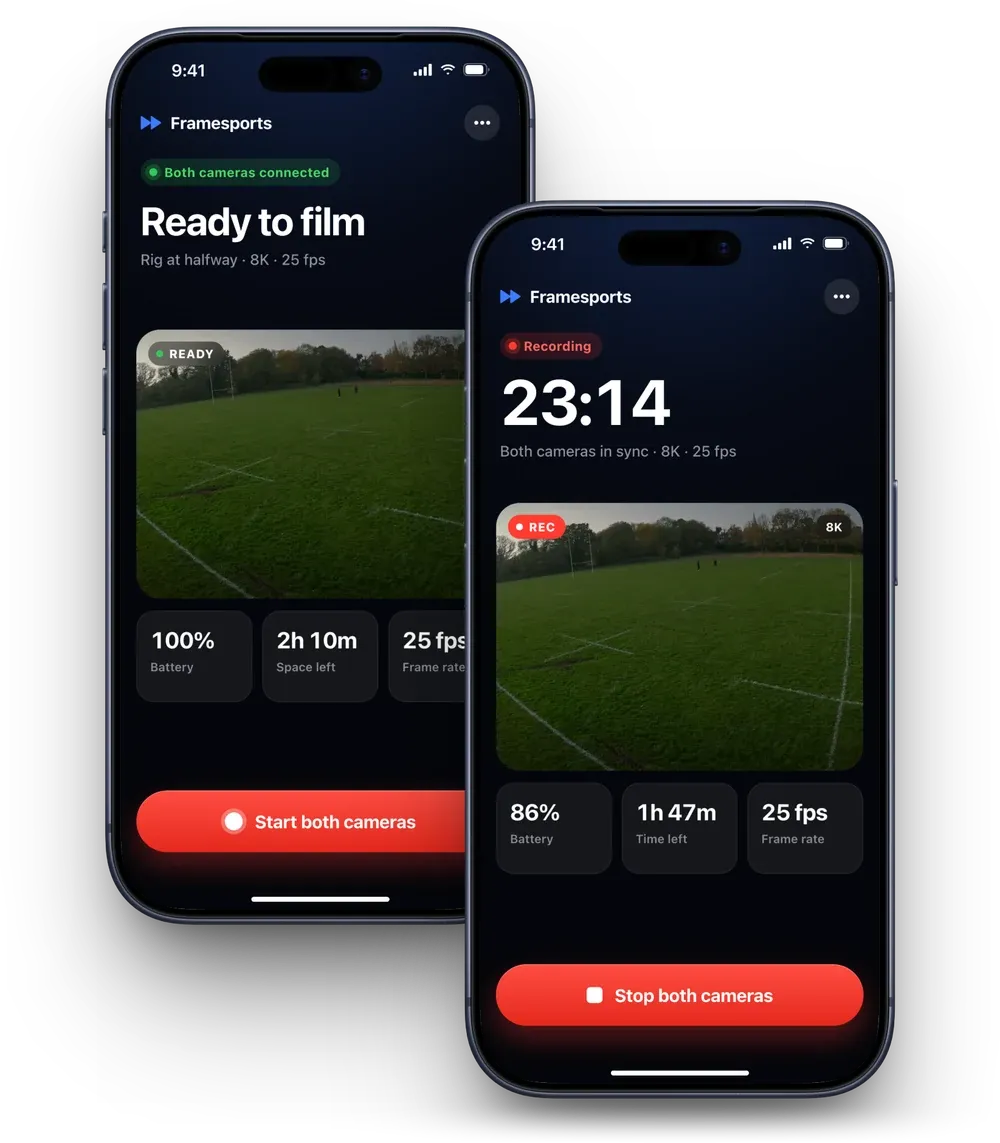
Put Capture up at halfway and start both cameras with one tap on your iPhone or Android phone.
At the final whistle, stop them both the same way.
Connect both cameras to your Mac or Windows computer with USB-C cables. Open the Framesports desktop app, make the match film and leave your computer connected while it uploads.
The case shown here holds a power bank and routes a cable to each GoPro. Your quote lists the power setup for your kit.

The rail under the case slides into the tripod clamp.
Yes, you need a tripod. It is sold separately: we can add ours to your quote, or you can use your own. The kit has two GoPro MISSION 1 cameras, two 256 GB memory cards, a camera mount, power for both cameras and USB-C cables.
Start both cameras from the Framesports app on your iPhone or Android phone. Each GoPro records half the pitch in 8K. Framesports follows the play across both views in the finished match video.
At our 8K setting, a charged GoPro battery lasts about 85 minutes. With the battery-powered kit, swap both batteries at half-time. For back-to-back games, bring charged spares and back up your footage before clearing either card.
Yes. Copy the original video files from the cameras to your computer. You can edit them, use them in other tools or share them where you have permission.
Yes. For drills, aim the cameras at the area you want to record. For a full-pitch session, set them up at halfway as you would for a match.
Tell us about your team and we’ll email you a quote.