Here is what comes back when you send Framesports one match, who uses it and how long it takes.
How the match gets to us
You upload the file, or paste a link from Veo, YouTube or Google Drive that opens without signing in. For Hudl, paste its Email Download Link, because a normal watch page link does not work. You can also connect your camera account. Each new match then waits for a coach to say yes, or you can set rules so that matches come through by themselves. Automatic uploads stay off during a free trial. You tell us who played and add a team sheet if you have one. A full match of about two hours is normal.
The file can come from any camera or phone. The one thing the footage needs is readable shirt numbers, because that is how each action is matched to a player. How to film a match for analysis covers the rest.
How long it takes
You choose the turnaround when you upload. Standard is guaranteed within 24 hours, or 36 on the Individual plan. Faster options are there when the next match is close, on a season package or from your second session on the Individual plan. While you wait, the Sessions page shows where the match has got to. Keep the tab open while a file uploads. Once it has finished and you have pressed Start analysis, you can close your laptop.
Every event, tagged
The match comes back with every tackle, carry, pass, ruck and kick tagged to the moment it happened and the player who did it. Lineouts and scrums are tagged to the moment and the team.
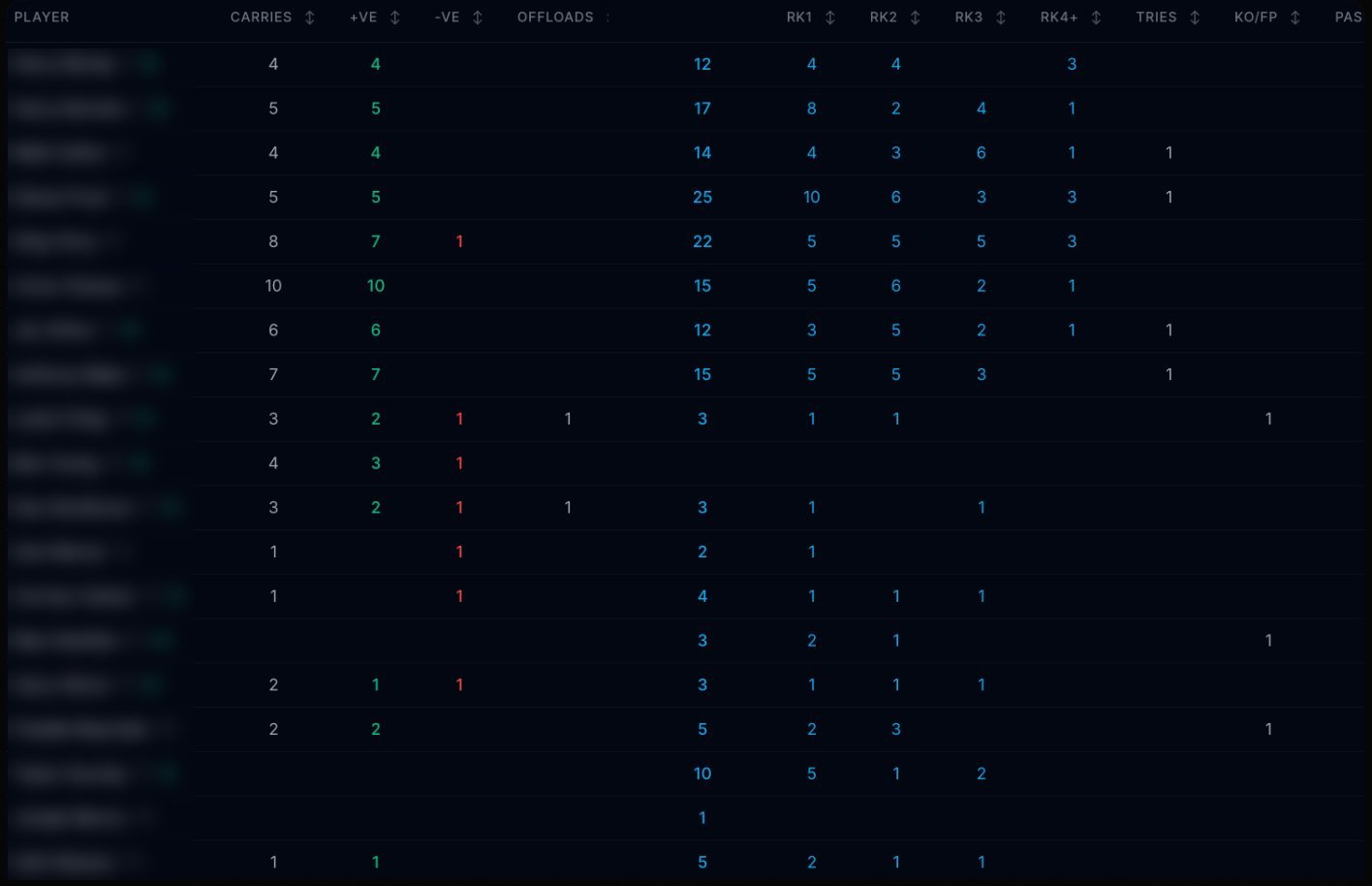
That table is the part that used to take a weekend. Each stat is also a shortcut to the video: click a number and the clips it was counted from open up, so “we missed fourteen tackles” becomes fourteen clips you can watch.
The match, in one place
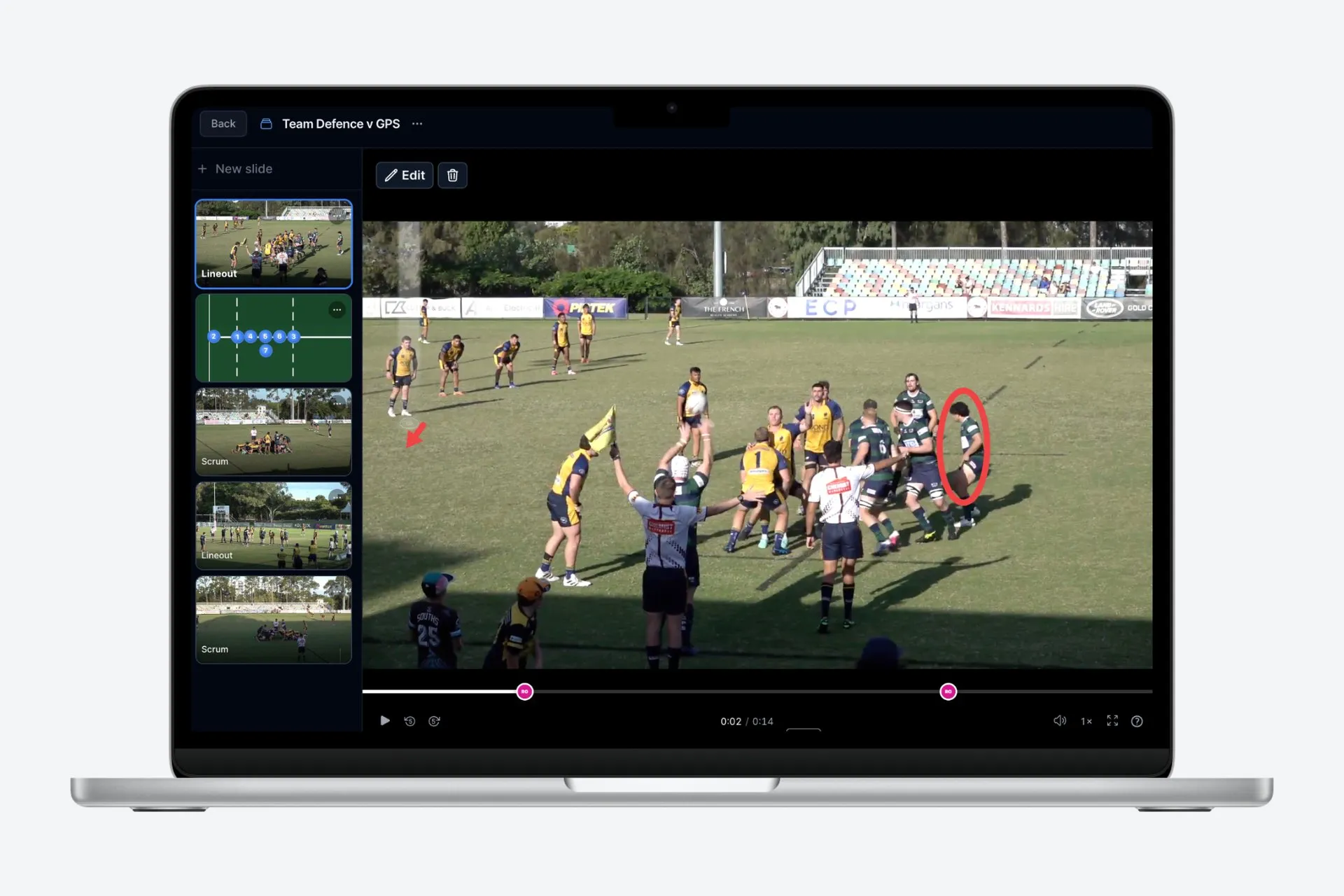
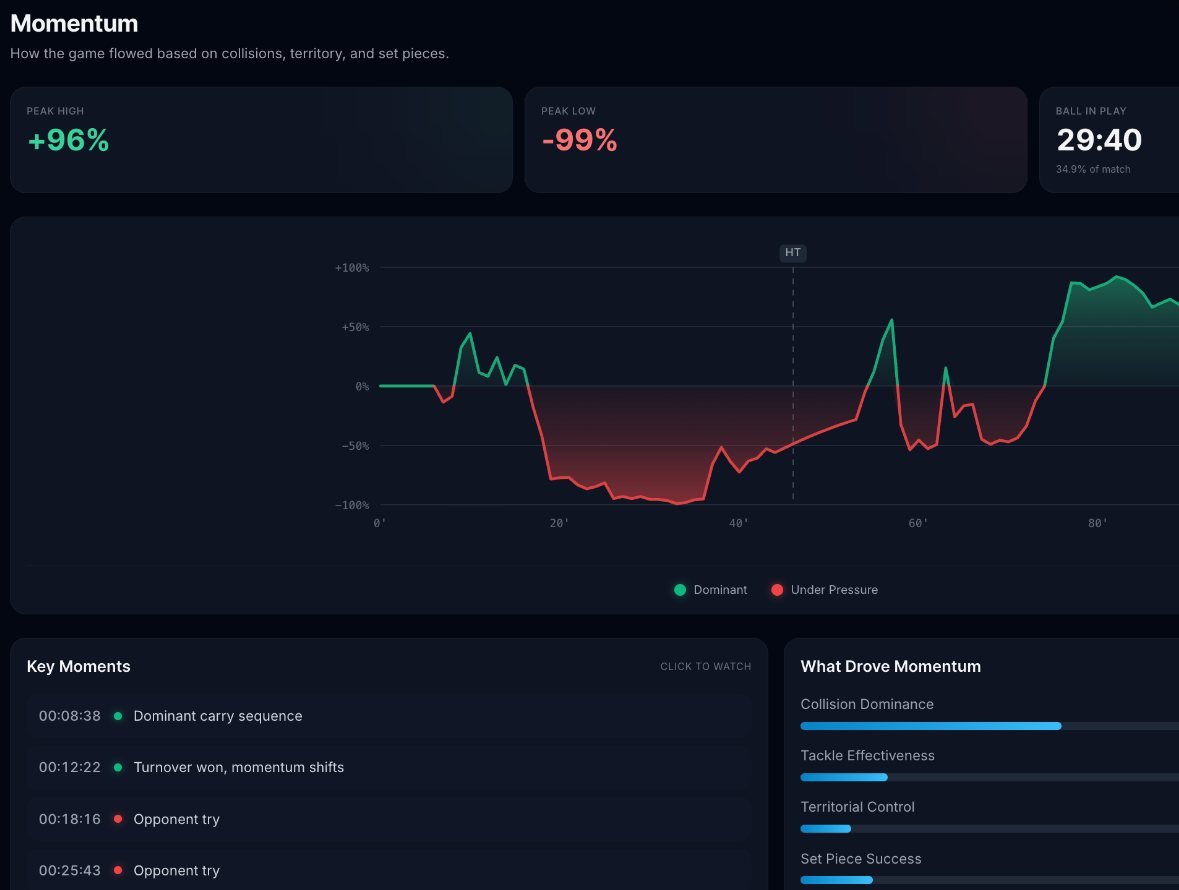
Open the session and you get the video beside the stats. Match Summary, KPIs and Momentum tell you how the game went. The Momentum chart shows when it swung and why, and you can drag across any stretch of it to make a clip.
Overview and MVPs cover individuals, and Overview has one row per player. Then there are tabs for each part of the game: 22m entries, restarts, lineouts, scrums, penalties, knock-ons, kicking and passing, breakdowns, carries and tackles. To skip the waiting around, Recap mode jumps past the dead time so that you only watch the rugby.
You can make your own clips, save them, download them as video files, and build them into a presentation for your Tuesday review.
A video for every player
This is the part players notice. As soon as analysis is finished, each player with contact details on file and notifications switched on gets a WhatsApp message and an email with their own clips cut into one video. Instead of two hours of footage, a player might watch ninety seconds of their own moments.
The email also links to their development plan, which shows their strengths and work-ons, recommended drills for the week and goals for their next game. A separate message links to the full match. Getting players to review their own clips explains why that matters.
Something for the people who run the team
The same match also produces content for your social feeds and your sponsors. In the Fan Engagement area you will find branded graphics with the key stats, highlight videos of tries and big moments, and a written match report for your website. Add your sponsor logos once and they appear on your content.
Over more matches, it adds up. Your team dashboard covers the last five, ten or twenty matches, and each player builds up a history, highlight reels and a Rugby CV.
What it depends on
Three things to know before you start:
- Shirt numbers need to be readable on camera, or actions cannot be matched to players.
- If only your team is analysed, the opposition’s tackles and carries are worked out from your own plays.
- Player stats depend on the numbers on your team sheet being right. If one is wrong, a coach or admin can correct it.
Try it on your own match
The best way to judge this is on your own footage. The first ten minutes of your first match are analysed free, so you can see your own team tagged before you decide. We ask for a card to start the free trial, and the ten-minute analysis itself costs nothing. The trial page shows the date of your first charge, and you can cancel any time before it.
If you are still comparing options, our top 10 sets Framesports beside the alternatives. When you are ready, upload a match.
Hero photo: Framesports product screenshot.